极光推送
| H5 | 安卓 | 苹果 | 鸿蒙 | 微信小程序 | 其它小程序 |
|---|---|---|---|---|---|
| x | √ | √ | x | x | x |
文档:
使用方法
注册极光推送账号,并创建应用,获取
AppKey和Secret(过程略)终端执行
bash
fcuni c jgpush- 插件市场打开
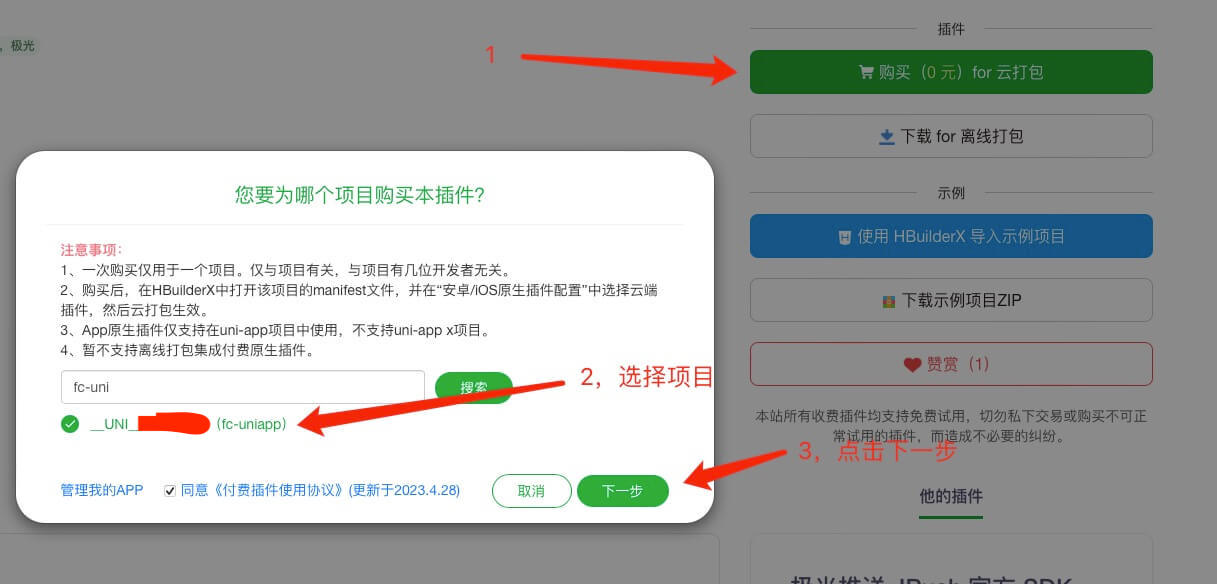
jpush和jcore插件,选择云打包
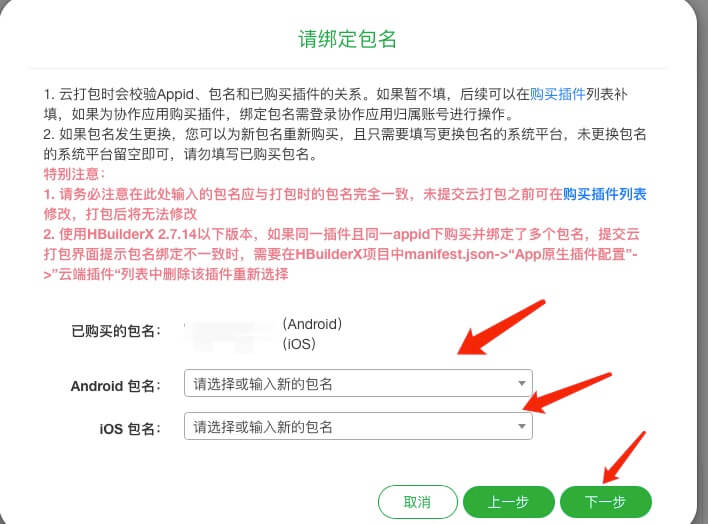
- 选择程序的包名
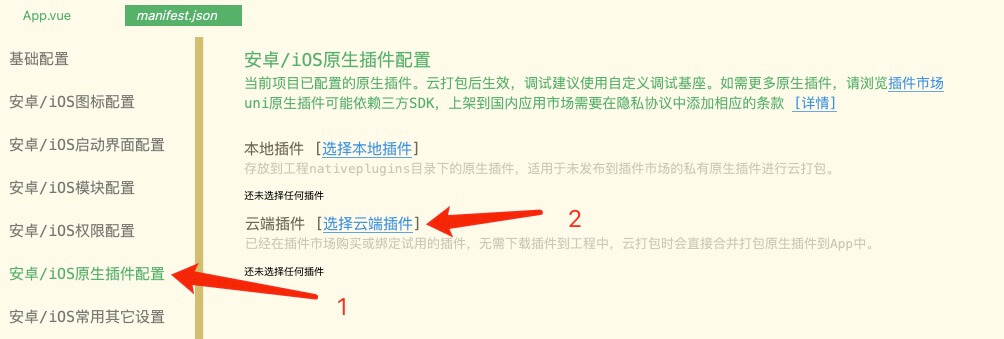
- 上面一步完成后,会给成功的提示。然后回到项目中,在
manifest.json->安卓/iOS原生插件配置中选择云端插件
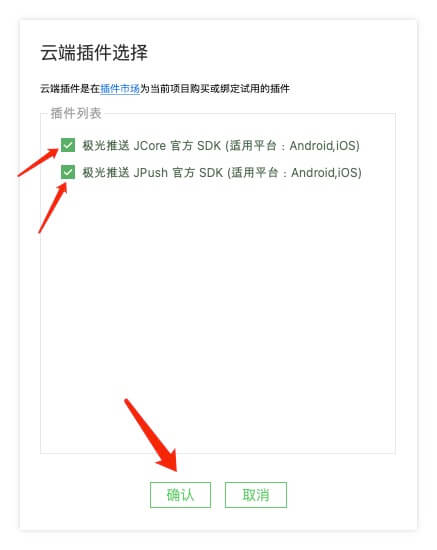
- 完成后,会在
manifest.json->安卓/iOS原生插件配置中看到需要配置的参数,根据实际情况填写
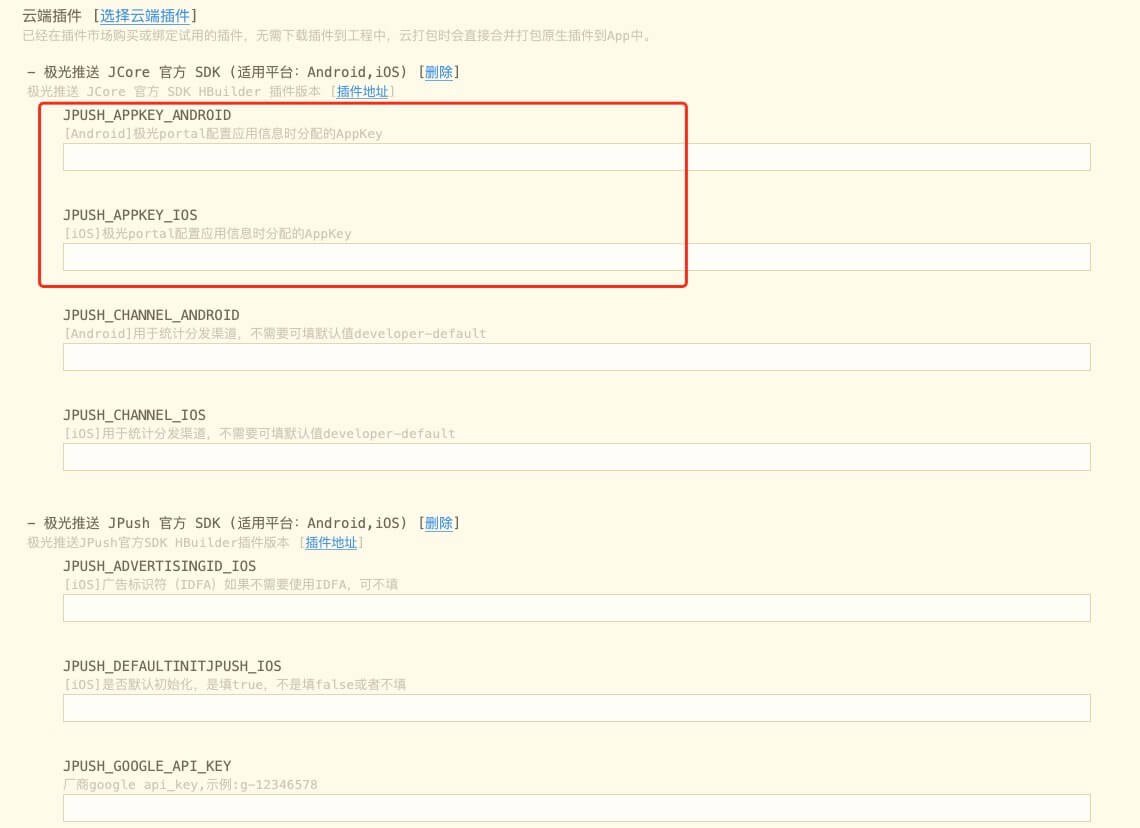
注意
根据实际情况填写manifest.json->安卓/iOS原生插件配置中的参数,AppKey是必填项
下方还会有各个安卓平台的appid,要去各个平台的开发者中心注册获取(后台推送会用到)
在
manifest.json->安卓/iOS模块配置中勾选Push(推送消息)。(uniPush 1.0和uniPush 2.0不用勾选)在
src/modules/jgPush/index.ts文件中配置极光推送参数。
ts
export const jPushConfig = {
    loggerEnable: process.env.NODE_ENV !== 'production',
    connectEventListener: (result: any) => {
        const connectEnable = result.connectEnable;
        console.log("jpush连接状态回调:", connectEnable);
    },
    notificationListener: (result: any) => {
        console.log("jpush通知事件回调:", result);
        const notificationEventType = result.notificationEventType;
        // 推送消息被点击时
        if (notificationEventType === 'notificationOpened') {
            // 点击推送消息的逻辑
            console.log("通知已被打开");
        }
    },
    customMessageListener: (result: any) => {
        console.log("jpush自定义消息事件回调:", result);
    },
    inMessageListener: (result: any) => {
        console.log("jpush应用内消息事件回调:", result);
    },
    localNotificationListener: (result: any) => {
        console.log("jpush本地通知事件回调:", result);
    },
} as FCType.JGPushConfig;App.vue中初始化极光推送
ts
<script setup lang="ts">
// #ifdef APP-PLUS
import { jPushConfig } from "@/modules/jgPush";
// #endif

onLaunch(() => {
    console.log("App Launch");
    // #ifdef APP-PLUS
    FC.JGPush.init(jPushConfig)
    // #endif
});

</script>注意
配置完成后,需重新打包自定义基座调试
- 在极光推送后台测试推送功能
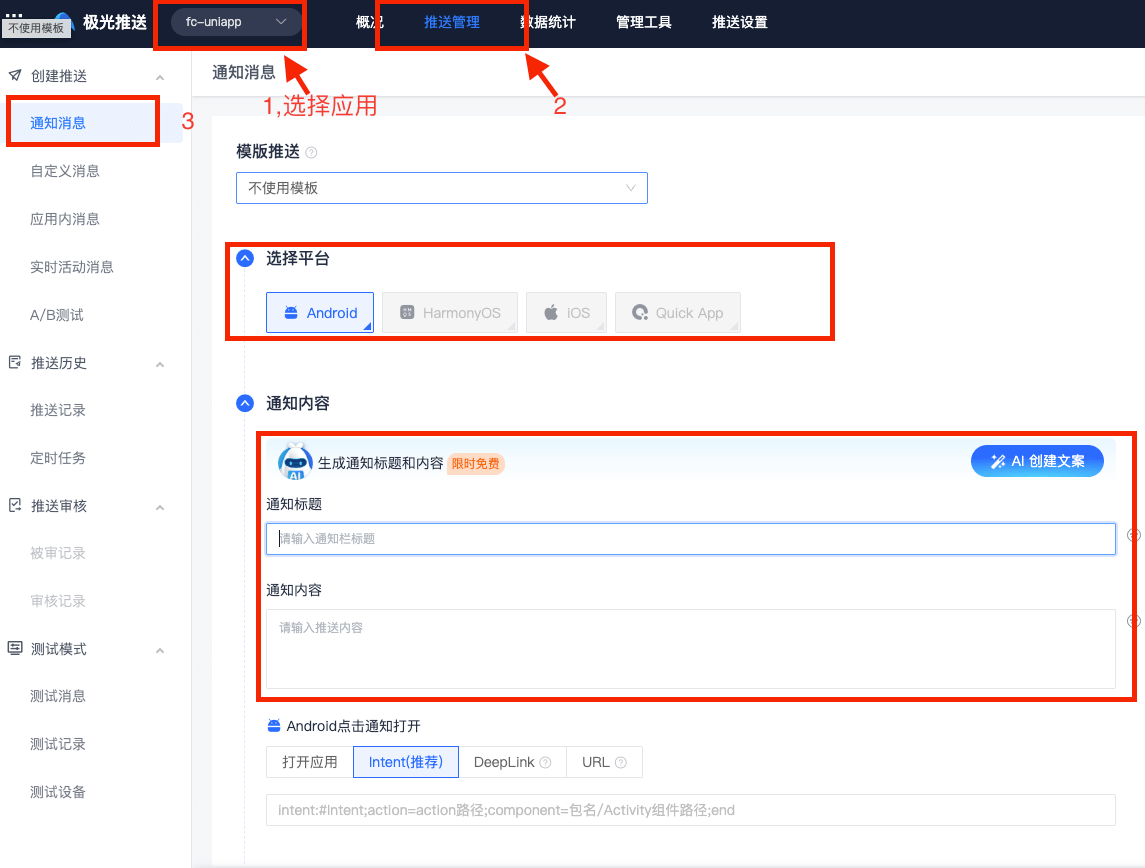
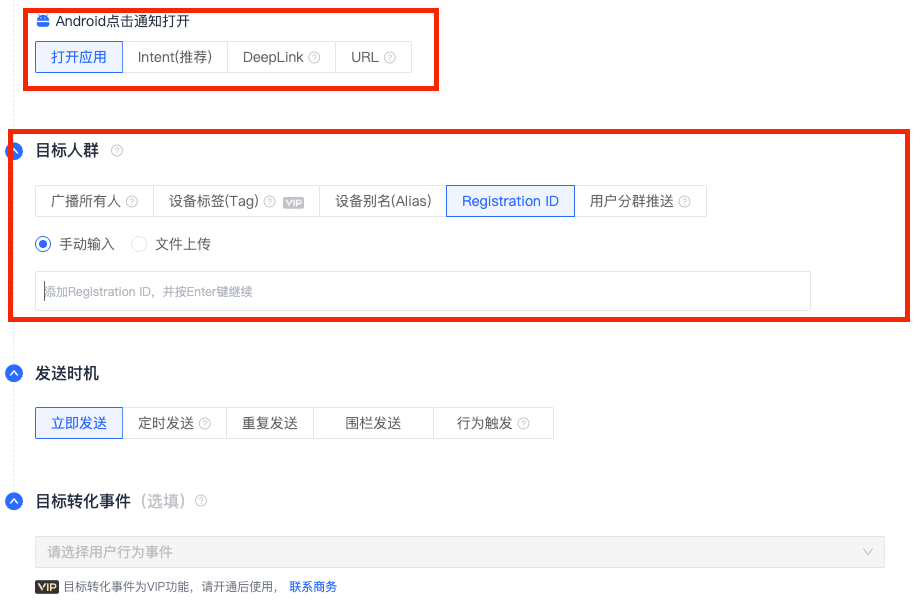
注意
根据实际情况配置上述选项
如果未添加各大安卓应用市场的appid,则测试推送时,要确保应用在前台运行,否则不会收到推送
更多用法请参考插件市场极光推送中的介绍
移除模块
如果项目不需要极光推送模块,可以在终端执行
bash
fcuni d jgpush并移除相关插件和代码